Quick Start
Register, add funds, create a token, and make your first request
This guide takes you from a new account to a working API request. Complete the steps in order before configuring a client.
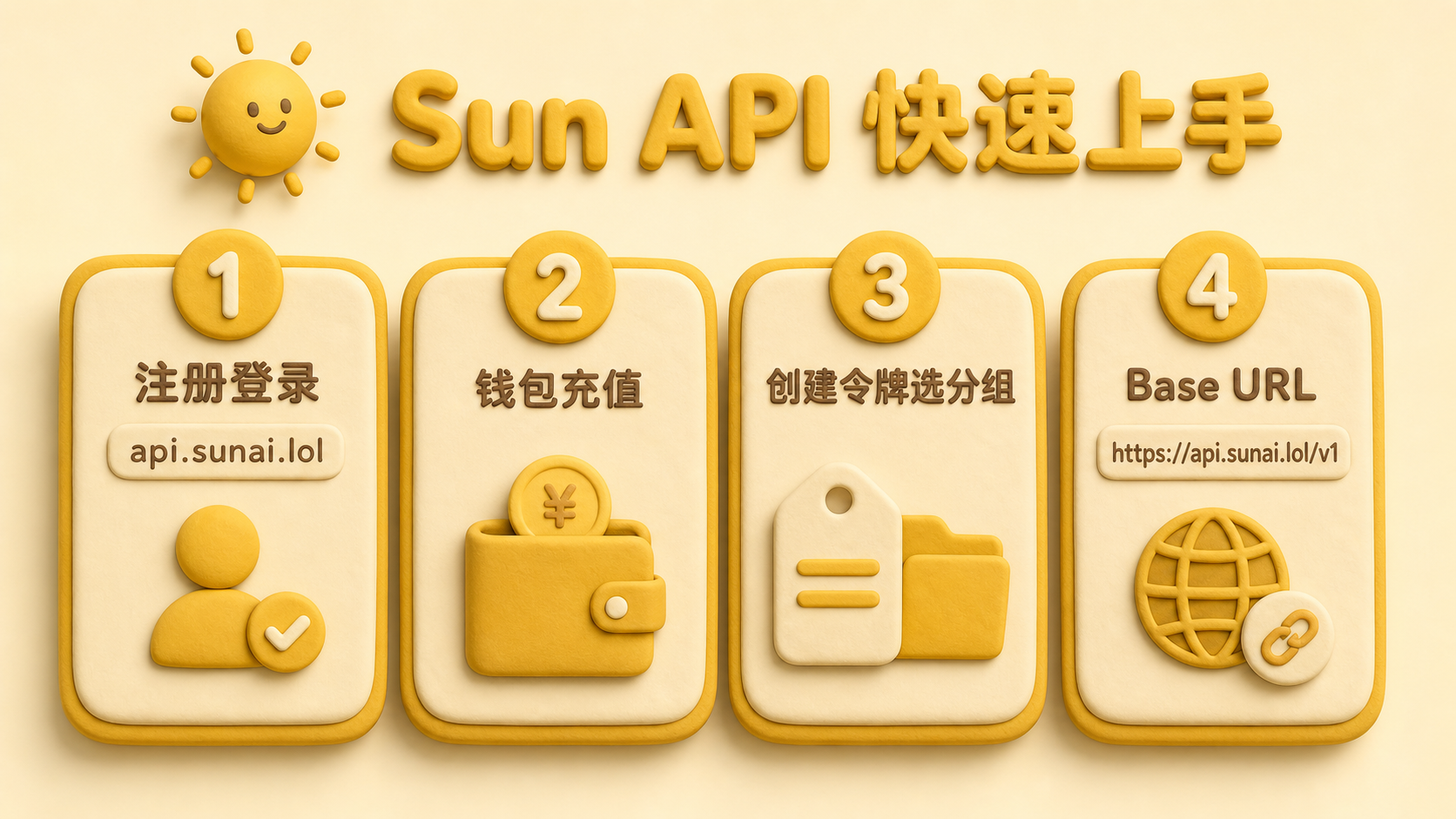
Step 0: Clear cookies if sign-in fails
If api.sunai.lol returns an unexplained 500 error or will not let you sign in, cookies from another similar service are often the cause.
- Open the sign-in page and press
F12 - Go to Application → Cookies →
https://api.sunai.lol - Delete the cookies for this site, refresh, and sign in again
Skip this step if sign-in already works.
Step 1: Register or sign in
- Registration and sign-in: https://api.sunai.lol
- Follow the on-screen instructions to enter the console
If the verification email does not arrive, check your spam folder or try another commonly used email address.
Step 2: Add funds to your wallet
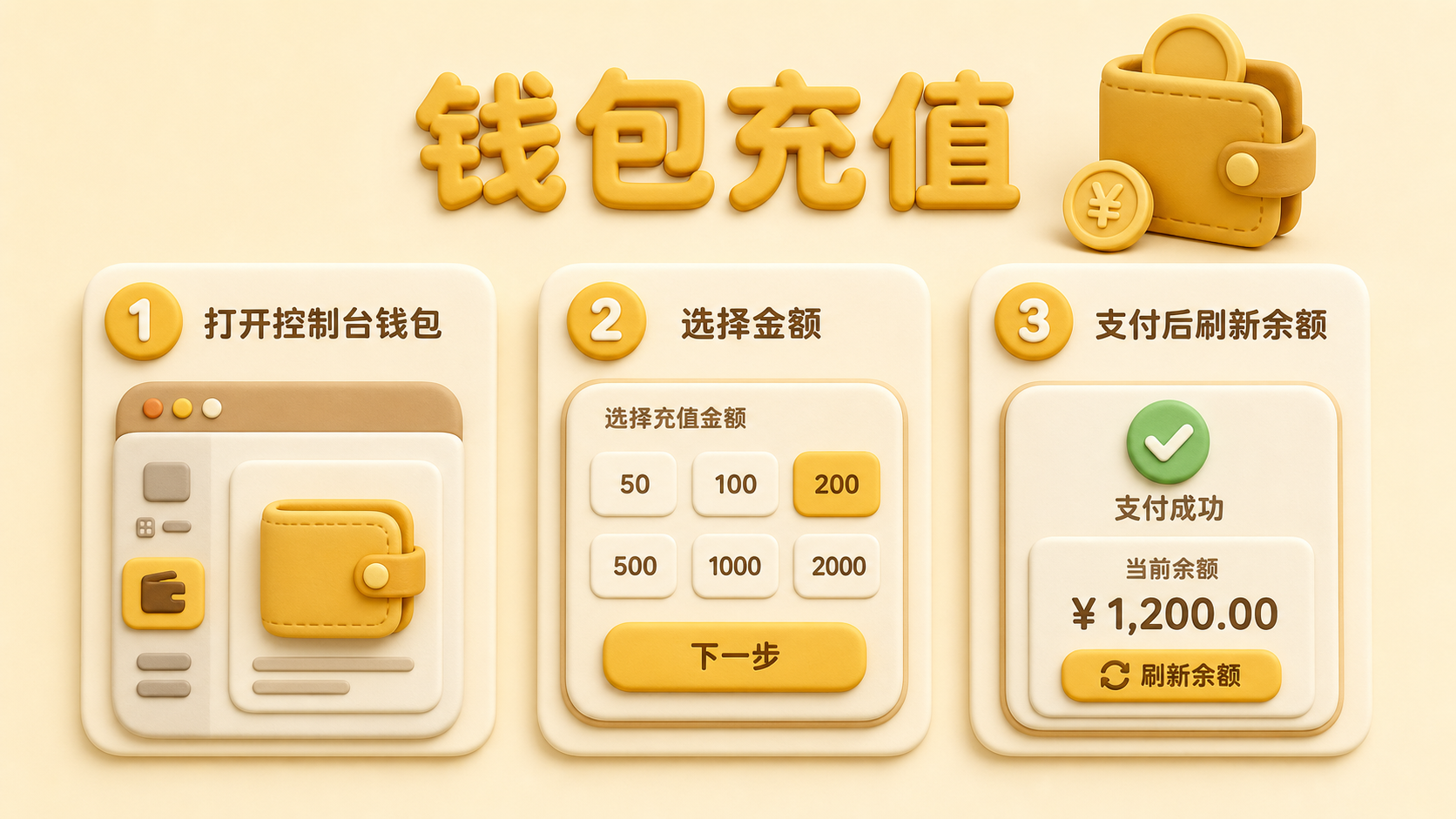
- After signing in, open Wallet or Wallet Management in the sidebar
- Select a preset amount or enter a custom amount
- Complete payment, refresh the page, and confirm that the balance has been credited
If the payment window does not open, temporarily disable your system proxy and try again.
Step 3: Create an API token
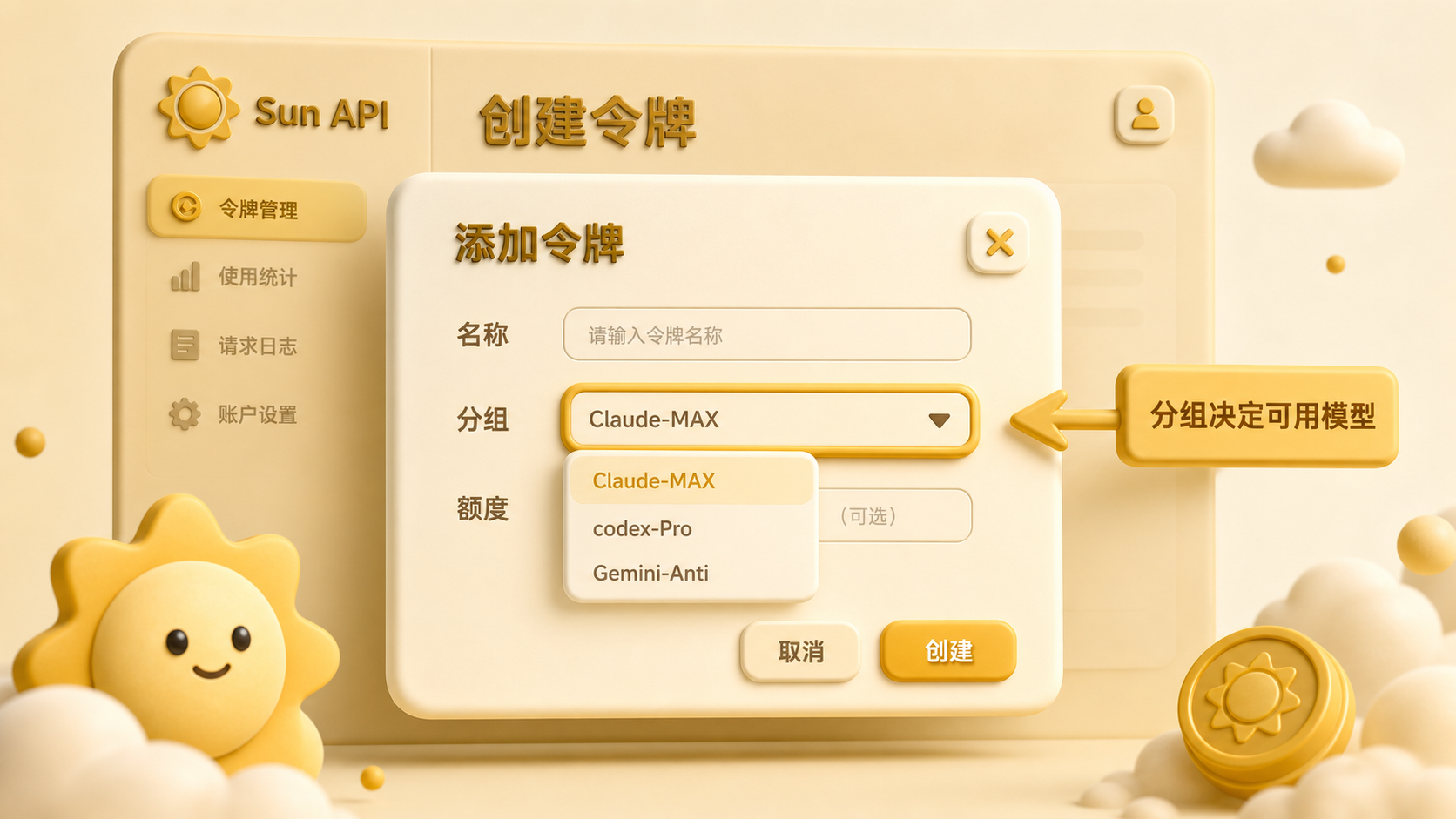
- Open Token Management in the sidebar
- Select Add Token
- Configure the token:
- Name: use a recognizable name such as
Claude CodeorCursor - Group: choose carefully because it determines available models and the billing multiplier
- Expiration: leave it unlimited if you do not need an expiration date
- Quota: unlimited quota is allowed, but account balance still applies
- Name: use a recognizable name such as
- Submit, then copy the token immediately. The complete key may no longer be visible after you leave the page
Choose the correct group
If the group is wrong, Claude Code, Codex, or Cursor will often report that the model does not exist. Read Billing and groups if you are unsure.
Verify the model in the catalog
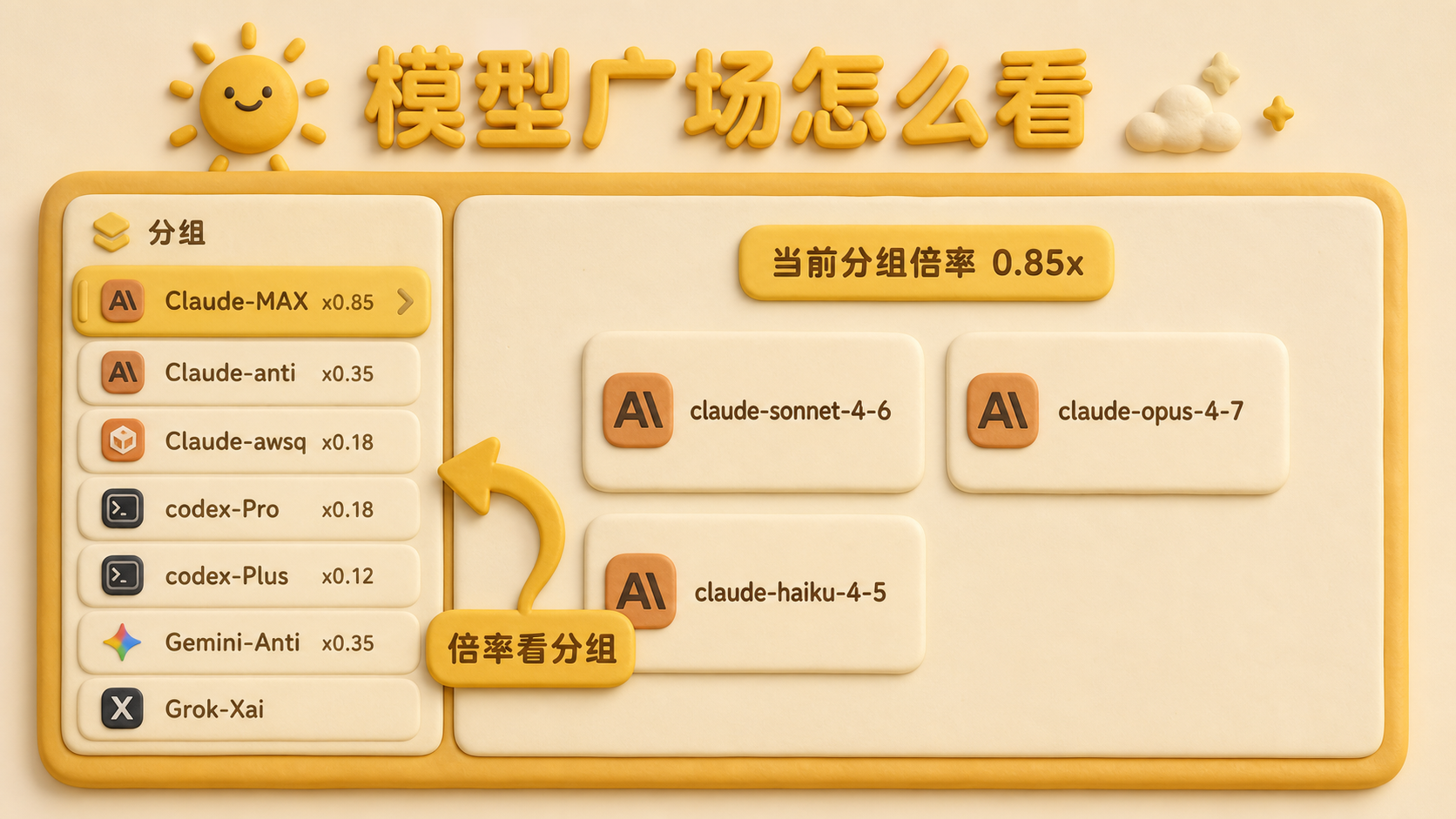
- Open Models & Pricing
- Select your token group on the left and note its multiplier, such as
x0.85 - Confirm the exact model name and price shown for that group
Step 4: Make your first request
The OpenAI-compatible Base URL must include /v1:
https://api.sunai.lol/v1curl https://api.sunai.lol/v1/chat/completions \
-H "Authorization: Bearer sk-your-token" \
-H "Content-Type: application/json" \
-d '{
"model": "gpt-4o-mini",
"messages": [{"role": "user", "content": "Hello"}]
}'Replace the model with an exact name available to your group, such as gpt-5.4 or claude-sonnet-4-6.
Step 5: Configure your client
After the curl request succeeds, configure the tool you use every day: