Billing and Groups
How Billing Works
Group multipliers, the model catalog, and balance deductions
Three terms to understand
| Term | Meaning |
|---|---|
| Account balance | The credit available in your console wallet |
| Token group | The group selected when a token is created; it determines available models and the billing multiplier |
| Model catalog | api.sunai.lol/pricing, where models and prices are listed by group |
A practical way to read the charge is:
charge ≈ provider price × group multiplierThe model catalog is the authoritative source for current prices.
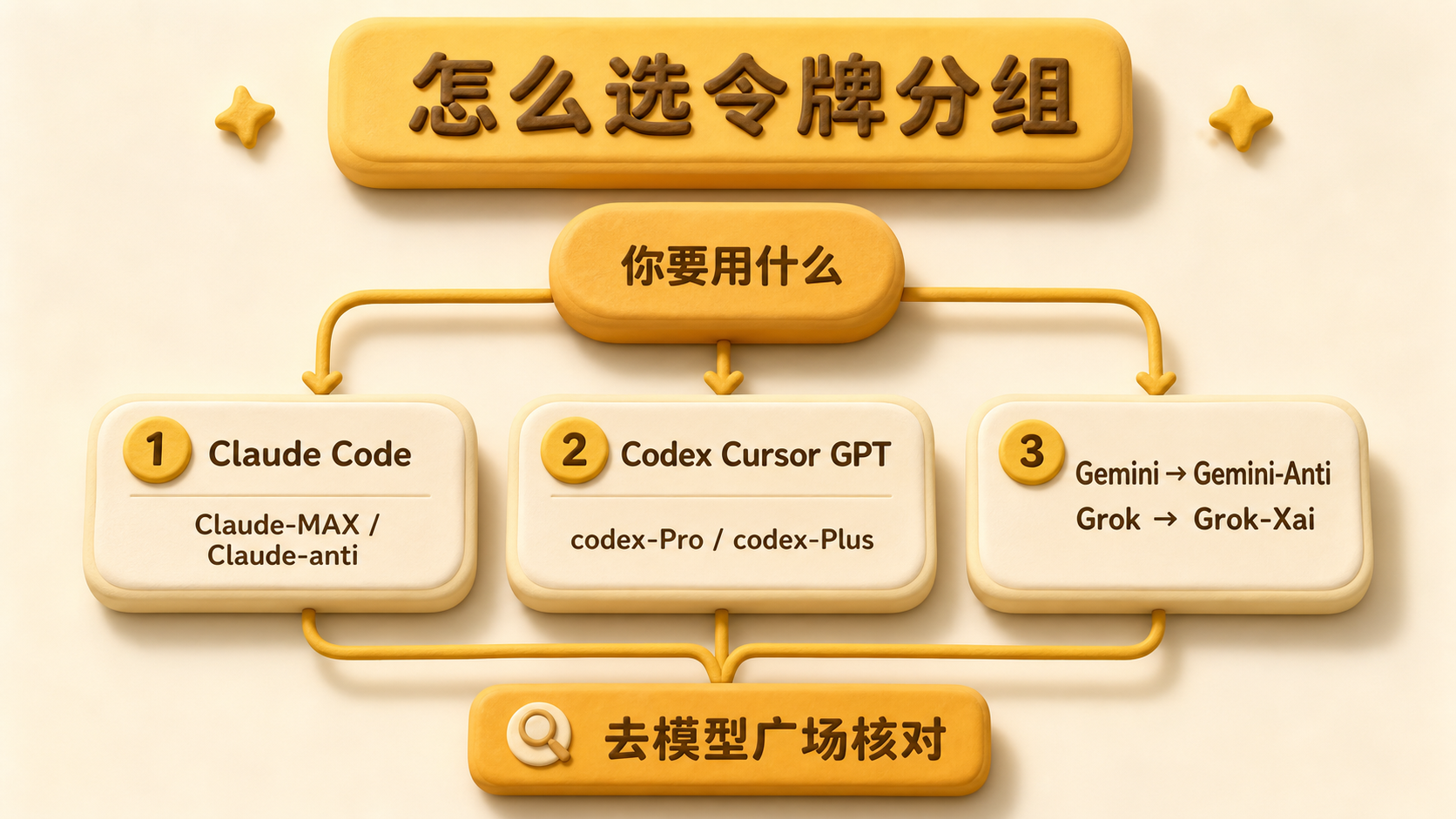
Common groups
| Group | Approximate multiplier | Best for |
|---|---|---|
| Claude-MAX | 0.85x | Claude Code with provider-style caching |
| Claude-anti | 0.35x | Claude through the Anti route |
| Claude-awsq | 0.18x | Lower-cost Claude usage |
| Claude满血-Cursor | 0.18x | Claude in Cursor |
| codex-Pro | 0.18x | Codex and GPT models |
| codex-Plus | 0.12x | Lower-cost Codex and GPT usage |
| Gemini-Anti | 0.35x | Gemini models |
| Grok-Xai | See catalog | Grok models |
Group names and multipliers can change. Use this table only as a selection guide and confirm the current value in the console.
Check the current price
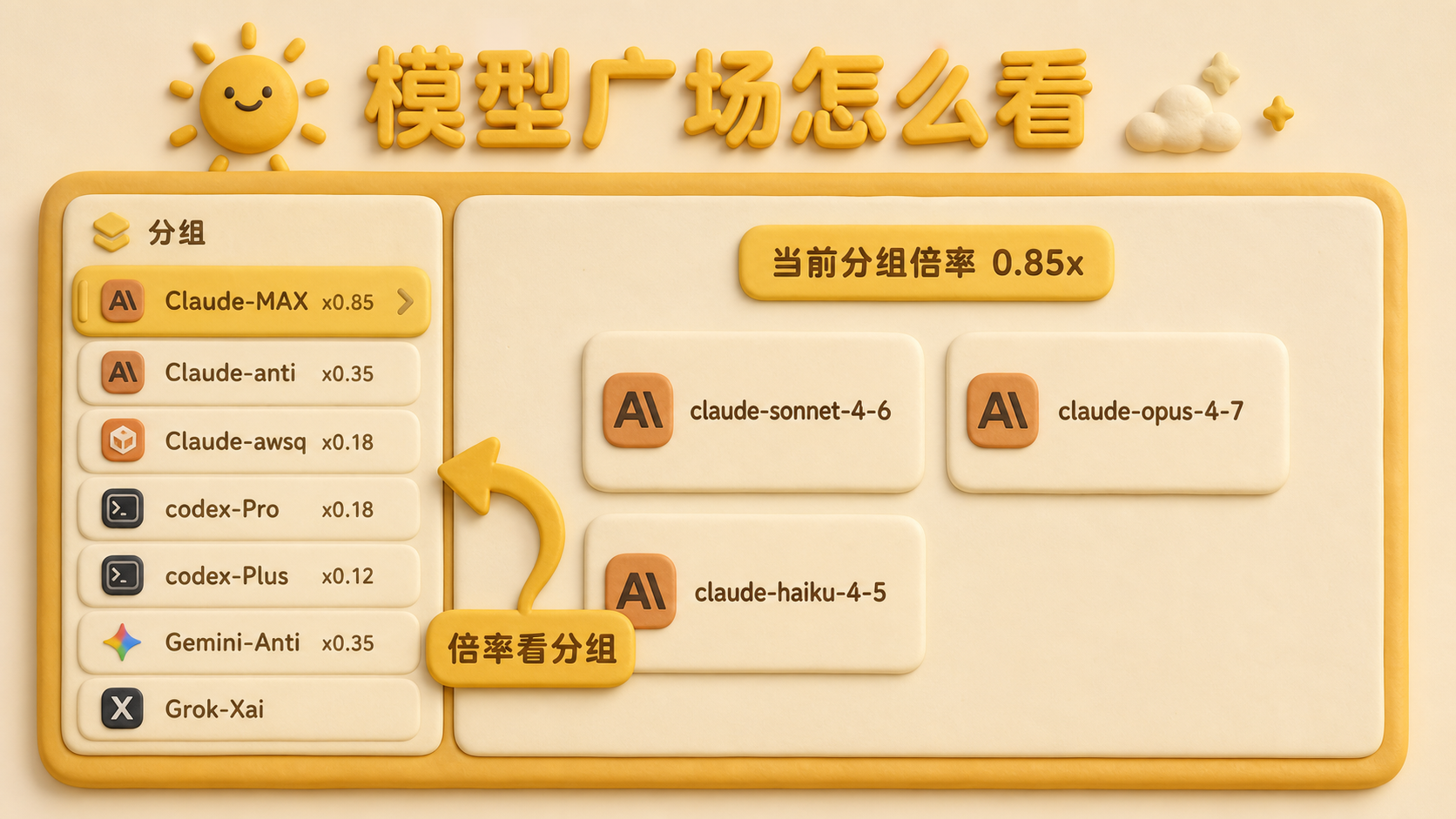
- Open Models & Pricing
- Select a group on the left. The multiplier appears beside its name, such as
Claude-MAX x0.85orcodex-Pro x0.18 - Review the exact model names and prices shown on the right. The multiplier belongs to the group, not to each individual model
Continue by use case
| What you want to use | Read next |
|---|---|
| Claude or Claude Code | Choosing a Claude group |
| GPT, Codex, or Cursor | Choosing a GPT / Codex group |
| Gemini or Grok | Choosing a Gemini / Grok group |
| Image or video models | Images and video |
Check the status page to see whether a route is currently available.